Black & Decker Toaster Oven Repair: A Practical How-To Guide
Learn safe, practical steps to diagnose and repair common issues in Black & Decker toaster ovens. This ToasterInsight guide covers troubleshooting, parts, and when to replace, with a clear, step-by-step approach.


You can approach many common problems with a black & decker toaster oven by performing safe, basic checks and replacements. This guide covers essential diagnostics, the tools you’ll need, and practical steps for the most frequent issues in black & decker toaster oven repair. Always unplug first, consult the manual, and know when to seek help.
Understanding why Black & Decker toaster ovens fail
Across the homeowner community, a variety of faults surface in Black & Decker toaster ovens, but most stem from a handful of root causes. If you’re facing uneven browning, a unit that won’t heat, or sporadic cycling, it’s often due to worn door seals, a faulty thermostat, or a degraded heating element. The ToasterInsight team notes that these appliances share common failure points because of compact construction, frequent heat exposure, and tight electrical tolerances. In this section we’ll explain how these issues manifest in everyday use, and what you can do to verify whether a repair is feasible for do-it-yourself enthusiasts. Understanding the common failure modes helps you prioritize checks and avoid unnecessary disassembly that could void warranties. When in doubt, consult your model’s manual and keep safety first between every test.
In practice, most repairs focus on accessible components like the door latch, the visible heating coils, and the thermostat assembly. If a unit browns unevenly or refuses to preheat, the culprit is often an aging thermostat or a damaged heating element. The brand-specific quirks of Black & Decker toaster ovens mean you should look for model-dependent parts and references in the user guide. By learning the typical failure modes, you become better at distinguishing minor faults from bigger, more costly repairs. This groundwork also informs whether a DIY fix is worth attempting versus replacing the appliance altogether, a decision guided by cost, availability of parts, and the unit’s overall age.
From a safety standpoint, always consider the risk of electrical shock or fire when dealing with any electrical appliance. The ToasterInsight analysis emphasizes systematic checks rather than random probing. If you discover burnt areas, fractured cords, or signs of short-circuiting, discontinue service and consult a professional. With careful diagnosis and respect for safety, many homeowners can extend the life of their Black & Decker toaster oven through straightforward fixes rather than full replacement.
Implementation takeaway: start with a clear checklist, verify parts visually, and only proceed to electrical tests if you’re confident and equipped with proper safety gear.
Safety First: Unplug, Prepare, and Document
Before you touch any internal components, unplug the unit and disconnect it from the power source. Allow the oven to cool completely, then remove any racks and crumb trays. Create a clean work area with good lighting and a labeled tray for small screws. Keep photographs of each step so you can reassemble correctly. Wear safety glasses and heat-resistant gloves when handling interior parts. These precautions reduce the risk of shocks, burns, or accidental damage to delicate components. If the unit is mounted in a kitchen cabinet, ensure the area around it remains clear to prevent overheating or contact with flammable materials. By starting with safety, you protect yourself and preserve the appliance’s integrity for potential DIY repairs.
ToasterInsight’s approach emphasizes orderly, methodical work. Document the model number and take a few pictures of the exterior, the rear connector, and any damaged parts before you touch anything. This documentation helps when sourcing parts and verifying compatibility with your specific Black & Decker model. If you notice loose cords or cracked grommets, address those issues first, as they are common sources of intermittent power or heat delivery problems. A safe, organized workspace is the foundation for successful repair work.
Diagnostic Checks You Can Perform (Non-Invasive)
Start with diagnostic checks that don’t require full disassembly. Unplug the oven, then use a multimeter to verify that power is reaching the control board and heating elements when the unit is commanded to heat. Check the door switch and latch mechanism for proper engagement, as a faulty latch can prevent the oven from initiating a bake cycle. Visually inspect the exterior and interior for signs of wear, melting, or burnt wiring. An oven thermometer placed inside can help you verify temperature accuracy against the control reading. If measurements indicate a consistent discrepancy, it may point to a failing thermostat or sensor. These tests should be performed with caution, and never while the unit is plugged in. When you confirm a fault with a non-invasive test, you’ll know whether you can proceed to component testing or if replacement is more prudent.
The goal of these checks is to narrow down the likely causes and avoid unnecessary part replacement. By validating power delivery, door operation, and temperature feedback, you create a focused path toward repair rather than a broad, risky teardown. If your findings point to a specific defective item (like the thermostat or heating element), you’ll be better prepared to source a compatible part and perform the repair with confidence.
Common Repair Tasks and How to Do Them Safely
When a fault is isolated to a replaceable component, common repair tasks include replacing the heating element, thermostats, or fuses. Start by ordering a compatible replacement part for your Black & Decker toaster oven model. Disconnect power again before removing screws that secure the interior panel. When you access the heating element, handle it with care to avoid bending the coils. Use a multimeter to confirm continuity after installation. Reassemble the unit and run a test bake with an oven thermometer to validate temperature accuracy. If the issue persists after these steps, the fault could reside in the control board or wiring harness, which may require professional service. Document part numbers, take photos during disassembly, and verify that all connectors are seated firmly to prevent intermittent failures.
Always verify compatibility, as a mismatched element may heat unevenly or fail prematurely. If you’re unsure about electrical safety or if the appliance shows signs of burning or smoking, stop the repair and seek professional help. For many users, this balance between DIY fixes and professional repair keeps costs reasonable while preserving safety and appliance longevity.
When to Replace vs Repair and Where to Source Parts
Repair vs. replace is a judgment call based on cost, part availability, and the unit’s age. If the model is several years old and you can’t source a readily available heating element, thermostat, or fuse, replacement may be the more sensible option. On the other hand, if parts are available and you can perform the fix with basic tools, a targeted repair can extend the life of your Black & Decker toaster oven at a fraction of the cost of a new unit. When sourcing parts, use the model number printed on the back or inside the door frame to locate compatible items. Reputable retailers or the brand’s official parts store are preferred options for quality compatibility and warranty considerations. Keep a record of the part numbers and vendor URLs for future repairs.
If you decide to replace the unit, use a buying guide to compare capacity, energy efficiency, and features. For ongoing use, consider a model with a proven track record of reliability and readily available parts. In all cases, assess the repair’s impact on energy use and safety, and remember that some repairs may require specialized tools or skill levels beyond basic home maintenance.
Closing thought: the decision to repair or replace should balance cost, safety, and your willingness to invest time in a potentially iterative process. When in doubt, consult a professional for an informed second opinion.
Maintenance Best Practices to Prevent Future Issues
To minimize future problems, adopt a simple maintenance routine. Clean the interior and crumb tray regularly to prevent residue buildup that can affect heat distribution or cause smoke. Wipe down the exterior with a damp cloth to remove grease, paying attention to vents and any crevices where dust can accumulate. Periodically inspect the door seal for cracks or gaps; a poor seal reduces efficiency and can cause uneven heating. Calibrate temperature accuracy with an oven thermometer every few months to ensure the control panel reflects actual oven temps. Store and handle the appliance gently to prevent loose connections or jarred components. By embedding these habits into your kitchen routine, you preserve performance and reduce the likelihood of future repairs.
Quick Recap: Putting It All Together
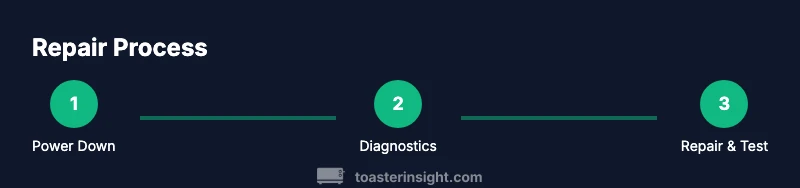
Successful black & decker toaster oven repair hinges on a methodical approach that starts with safety, then progresses to targeted diagnostics, careful part replacement, and final validation. Maintain organized records, confirm compatibility for any parts, and only advance to more invasive fixes if you’re confident in your ability. If a problem remains after the basic steps, consulting a qualified technician is prudent. With the right tools, a calm mindset, and a respect for safety, you can extend the life of your toaster oven and avoid unnecessary waste.
Tools & Materials
- Phillips head screwdriver(for panel screws and access screws)
- Flathead screwdriver(used for prying connectors carefully)
- Multimeter (voltage/continuity)(essential for electrical checks)
- Oven thermometer(verify actual temperature vs. control reading)
- Heat-resistant gloves(protect hands during handling hot parts)
- Soft-bristle brush or microfiber cloth(clean crumbs and surface buildup safely)
- Replacement parts (heater element, thermostat, fuse)(only after confirming failure and compatibility)
- Screws and labeled trays(keep track of fasteners and small parts)
- Owner's manual / model number(verify compatibility for parts)
- Safety glasses(eye protection during disassembly)
Steps
Estimated time: 1.5-2 hours
- 1
Power down and prepare workspace
Unplug the oven and allow it to cool completely. Remove racks and crumb tray, then lay out a labeled tray for screws. Take initial photos of exterior and control panel to document the starting state.
Tip: Label fasteners by location to simplify reassembly. - 2
Inspect exterior and interior for damage
Check the door gasket, hinges, and seals for wear. Look for scorching, melted plastic, or frayed wires. Any visible damage warrants cautious evaluation before proceeding.
Tip: Crack in the door seal often explains heat loss and uneven baking. - 3
Test power cord and outlet
With the unit unplugged, examine the cord for cuts and fraying. If you’re comfortable, use a multimeter to check continuity from the plug to the control board. Report any abnormal readings before continuing.
Tip: If you smell burning or see discoloration, stop and replace the unit or seek professional help. - 4
Check heating elements and wiring
Visually inspect the top and bottom heating coils for breakage or gaps. Disconnect connectors and test coil continuity with the multimeter after reapplying power safely (only if you are trained to do so).
Tip: Do not touch exposed coils while testing; heat can remain for some time after use. - 5
Test thermostat and fuse components
Access the control area and verify the thermostat’s response to heat commands. Check any thermal fuse for continuity as part of the circuit path. Replace only if readings indicate a fault.
Tip: Keep a diagram of wiring to avoid mis-wiring during reassembly. - 6
Replace faulty parts and reassemble
Install the new part following the original layout, reconnect all wires securely, and re-install screws. Ensure no tools or debris remain inside the cavity before reassembly.
Tip: Double-check door alignment after securing panels. - 7
Re-test with a bake cycle
Plug the unit back in and run a test bake at a moderate temperature while monitoring for proper heating and no unusual smells. Use an oven thermometer to confirm temperature accuracy.
Tip: Let the oven run for a full cycle with no food initially to clear any manufacturing residues.
Your Questions Answered
Can I repair a Black & Decker toaster oven myself?
Yes, many basic diagnostics and simple component replacements can be done by homeowners. For safety and warranty reasons, avoid high-voltage rewiring or complex PCB work unless you have training. If in doubt, seek professional help.
DIY repair is possible for simple issues, but for complex electrical work, consult a professional.
What are the most common failure points?
Door seals, thermostats, heating elements, and fuses are frequent culprits. Visual wear and thermal cycling often drive these failures. Start diagnostics by inspecting these components.
Common failures include the door seal, thermostat, heating element, and fuse.
Is repairing void my warranty?
Warranties vary by model and retailer. Unauthorized repairs can void coverage. Check the manual and confirm with the manufacturer or retailer before proceeding.
Warranty terms vary; check the manual or contact support before repairs.
Where can I find replacement parts?
Check the official Black & Decker parts site or authorized repair shops. Cross-check the model number to ensure compatibility and look for OEM components where possible.
Official parts sites and authorized retailers are best for compatible components.
How do I test if the heating element is failing?
Use a multimeter to check continuity across the heating element. If there’s no continuity or inconsistent resistance, the element may be faulty and require replacement.
Test continuity with a meter; lack of continuity often indicates a bad element.
Should I replace the unit instead of repairing?
If parts are hard to source, the appliance is older, or repair costs approach the price of a new unit, replacement may be wiser. Evaluate energy efficiency and expected remaining lifespan.
Replacement can be wiser if parts are scarce or the unit is old.
Watch Video
Key Takeaways
- Prioritize safety above all repairs.
- Use a focused diagnostic approach before replacing parts.
- Verify part compatibility with your model.
- Consider replacement if parts are scarce or repair costs rise.
- Document your steps to simplify future maintenance.