How to Get Rid of Burn Marks on a Toaster
A practical, risk-aware guide to removing exterior burn marks from a toaster using mild cleaners, proper technique, and maintenance steps to prevent future scorching.


To get rid of burn marks on a toaster, start by unplugging and removing crumbs, then clean with non-abrasive methods. Use a baking soda paste or mild cleanser for exterior marks, avoiding the interior or heating elements. If marks persist or you detect heat or odor, stop and seek professional help.
Understanding burn marks on toasters
Burn marks on toasters are usually cosmetic, but they can indicate overheating or residue buildup. According to ToasterInsight, exterior scorch marks are typically surface-level and do not affect electrical safety, though they can cause smudges and odors if left untreated. This section explains what burn marks look like, how they form, and how to assess whether it’s purely cosmetic or if a deeper issue exists. When in doubt, err on the side of caution and inspect for melted plastic, exposed wiring, or a distorted housing. The goal is to determine whether cleaning alone will suffice or if the unit should be retired or professionally serviced. By understanding the difference between superficial burn marks and internal damage, you’ll make safer decisions about cleaning and continuing to use the appliance. ToasterInsight’s guidance emphasize conservative action and thorough inspection to prevent unsafe scenarios.
Safety first: unplug, inspect, and prepare
Before touching any toaster, unplug it from the wall outlet and remove the crumb tray. Allow the exterior to cool completely; never clean a hot appliance. Wear gloves if you prefer, and lay down a soft towel to catch drips. Set out mild cleaning supplies: a damp microfiber cloth, a non-abrasive sponge, baking soda, and a small bowl for paste. Keep pets and children away while you work. This sequence minimizes the risk of electrical shock, burns, or accidental contact with heating elements. The ToasterInsight team highlights that safety is the foundation of any cleaning task and reduces the chance of accidental damage to the appliance.
Determine superficial vs. internal damage
Examine the exterior enamel for deep gouges, melted edges, or peeled coatings. If you detect smoke odors or see exposed wiring, stop cleaning and unplug the unit immediately. Superficial scorch marks usually respond well to gentle cleaning, while interior damage warrants professional assessment. A practical approach is to document the marks with a quick photo before you start cleaning, so you can monitor changes after each step. If the handle or housing appears warped, or if you notice abnormal heat during a test run, consider replacing the unit. This assessment helps balance hands-on cleaning with prudent safety checks.
Cleaning basics: non-abrasive exterior methods
Begin with dry methods: wipe the exterior with a dry microfiber cloth to remove loose soot, then use a damp cloth with a tiny amount of mild dish soap if needed. For stubborn marks, a baking soda paste (baking soda mixed with a little water) can be gently rubbed onto the surface in small circles. Avoid abrasive pads or scouring brushes that can scratch enamel or coating. Always dry the area thoroughly with a clean towel after cleaning to prevent moisture from seeping into seams.
Gentle cleaners for stubborn marks
When exterior marks persist, switch to gentler cleaners like a baking soda paste or a mix of white vinegar and water (1:1). Apply sparingly and test on a small inconspicuous area first. Allow the paste to sit for a few minutes before a soft wipe with a microfiber cloth. Rinse or wipe away any residue, then dry completely. Avoid any cleaner that contains bleach or ammonia, as these can damage plastic housings and coatings over time. This approach respects enamel surfaces while restoring a cleaner look.
When to avoid DIY and seek professional help
If you notice melted plastic, warped housing, exposed wiring, or a persistent burning odor after cleaning, stop using the toaster and seek professional service. Do not attempt to disassemble the interior or repair electrical components yourself. Electrical devices carry a risk of shock or fire if mishandled, and professional technicians have the right tools to assess safety without voiding warranties. If in doubt, prioritize safety over cosmetic results. ToasterInsight recommends erring on the side of caution when interior damage or heat-related concerns arise.
Odor control and ventilation after cleaning
Cleaners can leave fumes that linger in the toaster cavity. To dissipate odors, place the toaster in a well-ventilated area for several hours, or run a brief test cycle with no bread to burn off residue. Do not run on high heat for extended periods during the initial cleanings. If odors persist after a full cooldown, consider replacing the unit or consulting a professional for a safety check. A fresh, odor-free appliance is a better choice for consistent performance.
Maintenance to prevent future burn marks
Adopt a few habits to minimize scorch risk: toast at appropriate settings to avoid overheating, use the crumb tray regularly, and wipe down the exterior after each use. Store the toaster away from heat sources and ensure it sits on a clean, dry surface. Regular, light cleaning is far better than occasional heavy scrubbing. By preserving enamel coatings and keeping the interior dry, you reduce the chance of future burn marks and improve overall appliance longevity.
Quick test: verifying safe operation after cleaning
After the exterior is clean and dry, plug the toaster back in and perform a short, empty toast cycle at a low setting to verify safe operation. Listen for unusual noises, watch for smoke, and smell for burning odors. If anything seems off, power down immediately and seek professional advice. A controlled test helps ensure you haven’t introduced a safety issue during cleaning and confirms the unit is ready for regular use.
Tools & Materials
- Soft microfiber cloth(Lint-free and dampened for gentle wiping)
- Non-abrasive sponge(Avoid scrubbing pads that can scratch enamel)
- Baking soda(Used to make a mild cleaning paste)
- Water(For rinsing and making paste)
- Mild dish soap(Optional for stubborn grime; use sparingly)
- Small bowl(Mix cleaning paste or dilute cleaners)
- Cotton swabs(Cleans tight corners and seams)
- Gloves(Protect hands during cleaning if desired)
- Drying towel(Ensure all surfaces are completely dry)
Steps
Estimated time: 25-40 minutes
- 1
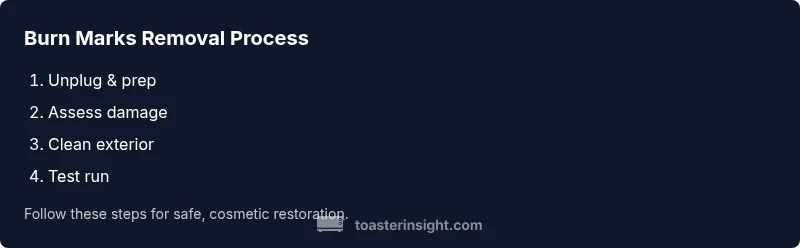
Unplug and remove crumb tray
Begin by unplugging the toaster and removing the crumb tray. This clears the immediate surface and reduces the risk of an electrical shock. Let the unit cool completely if it has been in use. This step establishes a safe workspace and minimizes moisture intrusion.
Tip: Always unplug first to prevent accidents. - 2
Assess exterior burn marks
Visually inspect the exterior enamel for deep charring, peeling, or melted seams. Note whether the marks are superficial or indicate possible damage to internal components. Photograph the area for reference before cleaning.
Tip: Use photos to compare changes after cleaning. - 3
Remove loose debris
Wipe the exterior with a dry microfiber cloth to lift loose soot and crumbs. A dry brush can help reach crevices. Do not introduce moisture at this stage if you’re unsure about interior seals.
Tip: Dry methods reduce the chance of moisture seeping into electronics. - 4
Prepare and apply a cleaning paste
Mix baking soda with a little water to form a mild paste. Apply sparingly to the burn marks with a soft cloth, using small circular motions. Let it sit for 3–5 minutes to loosen residue.
Tip: Test a small area first to ensure no discoloration. - 5
Gently scrub and wipe away
Gently scrub with a non-abrasive sponge or cloth until the paste lifts the stains. Wipe away any paste with a damp cloth and dry the surface thoroughly. Avoid spraying or soaking any interior edges.
Tip: Avoid abrasive pads that can scratch enamel. - 6
Rinse and dry exterior
Wipe away all cleaner residue with a damp cloth, then dry with a clean towel. Ensure every surface is dry before reassembly or testing. Moisture around the controls or vents can be problematic.
Tip: Drying is essential to prevent moisture from entering electronics. - 7
Inspect the crumb tray and interior
Reinsert the crumb tray and inspect it for buildup. Do not submerge the toaster in water. If you notice melted plastic or exposed wiring during this step, stop and seek professional help.
Tip: Keep the interior dry and free of moisture. - 8
Test run and safety check
Plug the toaster back in and run a short, empty cycle on a low setting to check for odors or heat. If anything sounds abnormal or you detect burning, unplug immediately and discontinue use.
Tip: A controlled test confirms safe operation before daily use.
Your Questions Answered
Can I use bleach to remove burn marks from a toaster?
Bleach is not recommended for toasters because it can damage plastics and coatings and leave harmful residues. Stick with mild cleaners and baking soda paste for exterior marks.
Bleach should be avoided; use milder cleaners for safety and to protect finishes.
Are exterior burn marks always a safety risk?
Exterior marks are usually cosmetic, but if you detect melted plastic, exposed wiring, or a burning odor, stop using the unit and seek professional assessment.
Exterior marks are often cosmetic, but watch for signs of internal damage.
Will cleaning void my toaster's warranty?
Most manufacturers permit routine cosmetic cleaning, but avoid disassembly or repairs. Check your manual for warranty terms and follow manufacturer guidelines.
Cleaning is usually okay if you don’t open the internals.
Can I reuse the toaster after cleaning burn marks?
Yes, if the exterior is clean, there’s no odor or overheating, and a safe test run shows normal operation. If unsure, consult a professional.
You can reuse it if it runs safely after a test.
What should I do about odors after cleaning?
Ventilate the area and run a short, empty toast cycle to burn off cleaner residues. Avoid concentrated cleaners and rinse thoroughly.
Ventilate and run a quick test to clear smells.
When should I replace the toaster instead of repairing it?
If you notice melted components, persistent odors, or unreliable heating, replacement is safer and often more cost-effective than repair.
If components are damaged, replacement is safer.
Watch Video
Key Takeaways
- Unplug before cleaning and inspect for damage
- Use non-abrasive methods like baking soda paste
- Dry thoroughly before reusing
- Avoid disassembly or interior repairs
- Regular light cleaning prevents future scorch marks