How to Use a Pop-Up Toaster: A Practical Guide for Home Cooks
Learn to operate a pop-up toaster safely and effectively with this comprehensive guide from ToasterInsight. Includes browning settings, bread types, cleaning, and safety tips for reliable toast.


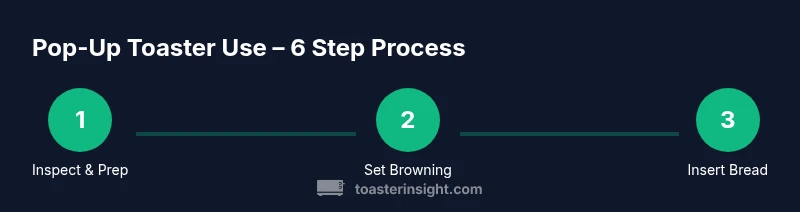
In this guide you’ll learn how to use a pop up toaster safely and efficiently. Start by inspecting the cord and crumb tray, choose the right browning setting, insert bread, and lower the lever. Watch for even browning and remove toast promptly. Unplug and let it cool before cleaning. For best results, clean the crumb tray weekly and avoid inserting metal objects.
Getting started with a pop-up toaster
If you are new to kitchen appliances or want a reliable breakfast routine, learning how to use pop up toaster correctly pays off. According to ToasterInsight, understanding the device’s safety features and basic settings sets you up for consistent results. In this section, we introduce the core idea behind using a pop-up toaster, including what it is, how it behaves during a cycle, and the small habits that prevent burnt bread and crumbs everywhere. If you're searching for guidance on how to use pop up toaster, this guide covers prep, browning decisions, and post-toast care so you can start your day with warm, evenly toasted slices. By the end, you’ll know not just the steps, but why each step matters for safety, efficiency, and taste.
Understanding the basic anatomy of pop-up toasters
Pop-up toasters are compact electric appliances with slots, a crumb tray, a control dial or buttons for browning, a power cord, and an exterior that can get hot during use. The crumb tray catches crumbs for easier cleanup, while the slots guide bread slices into the heating elements. A stable base and cool-touch exterior help prevent accidental burns. When you know what each part does, you can troubleshoot minor issues without fear. In the broader context of kitchen appliances, ToasterInsight emphasizes maintaining a clean machine to prevent clogs and uneven toasting. This awareness sets the stage for reliable results every morning.
Prepping for toast: safety and cleaning
Safety first matters with any hot appliance. Before you start, ensure the toaster is unplugged, the crumb tray is clean, and the area around the appliance is dry. When you insert bread, align it with the slot and avoid overloading the toaster. If you notice crumbs building up, remove the tray and shake them out over a trash can. ToasterInsight’s guidance, backed by typical safety standards from agencies like CPSC and USFA, reminds users to keep liquids away from the cord and to never touch the interior components while the device is live. Regular cleaning reduces the risk of fires and improves toast consistency.
Browning controls explained
Most pop-up toasters offer a range of browning settings from light to dark. The dial or digital control adjusts the heat and toasting duration. Thicker bread and bagels often require a higher setting, while thin bread may need a lighter touch. Some models include dedicated bagel or reheat options that affect only one side. The key is to start with a middle setting and adjust in small increments until you achieve your preferred level of toasting. As you become familiar with your appliance, you’ll learn how different breads respond to each setting.
Inserting bread correctly and starting the cycle
Insert slices with the bread flat and centered so the edges don’t touch the sides. Ensure the toast/crisping surface is not tilted. Close the slot and press the lever down until it engages. The toaster will begin the heating cycle, and you may hear a faint hum or click as it starts. If you’re toasting bagels or thicker slices, you might need to adjust the setting or use a two-slice mode if available. Do not force bread into the slots or jam the lever; if anything sticks, unplug and inspect the unit.
The toast pops up: timing and removal
When the cycle completes, the toast will pop up automatically. Use tongs if the toast is hot or if you want greater control to prevent burns. Let the toast rest on a plate for a moment to finish crisping as needed. If browning is insufficient, reinsert the slices for a shorter additional cycle rather than extending a single long cycle. Always unplug the toaster after use and allow it to cool before cleaning to prevent steam burns.
Cleaning and maintenance for longevity
Regular cleaning keeps your toaster performing well. After cooling, remove the crumb tray and shake out crumbs into a trash can. Wipe the exterior with a damp cloth; avoid abrasive cleaners that could damage the finish. Periodically check the slot for crusty buildup, and use a soft brush to remove debris gently. A clean toaster reduces the risk of fires and ensures even heating. For safety, unplug the device before any cleaning or maintenance and verify the crumb tray is fully reinserted before next use.
Special cases: bagels, thick breads, and frozen items
Bagels and thick bread slices require adjusting the browning setting and sometimes the toasting time. Frozen waffles or other frozen items should be toasted on a longer cycle than fresh bread and monitored closely to prevent over-toasting. If your model has a bagel setting, use it for bagels, but still monitor the center to avoid scorching. Always lay items evenly in the slot and avoid stacking slices or forcing irregular shapes into the opening.
Common issues and quick fixes
If toast browns unevenly, rotate the slice or adjust the browning setting. If bread gets stuck, unplug and gently remove the slice with non-metal tools after the unit has cooled. A burnt smell or smoke indicates excessive heat or crumbs blocking airflow; unplug immediately and clear any obstruction. Regularly cleaning the crumb tray and slots prevents most problems. If issues persist, consult the product manual or contact the manufacturer for service options.
Energy efficiency and best practices
To minimize energy use, toast only what you need and keep the toaster plugged in only during active cycles. Use the lowest setting that achieves your preferred browning level, especially for daily use. Avoid keeping the appliance near heat sources or in direct sunlight, which can affect performance. Consistency comes from routine: always use a clean crumb tray, centered slices, and the same pre-toasting conditions.
Creative uses and safe heat reheat
You can use a pop-up toaster for reheating slices that aren’t fully toasted, or for warming small pastries briefly. Do not attempt to reheat large items like pies or sandwiches that aren’t designed for toaster heating. For best results, monitor the process and use short cycles, as overheating can dry out or burn bread. After any reuse, allow the toaster to cool completely before the next cycle.
Authority sources and safety reminders
For safety guidelines, you can refer to the Consumer Product Safety Commission (CPSC) at cpsc.gov and the United States Fire Administration (USFA) at usfa.fema.gov. The ToasterInsight analysis also informs these best practices and emphasizes routine maintenance for longevity. Always unplug before cleaning, keep liquids away from the cord, and never insert metal objects into the slots. Regular upkeep and careful operation minimize risk and improve outcomes.
Tools & Materials
- Pop-up toaster(Ensure it is clean, functional, and has a removable crumb tray)
- Bread slices (standard sandwich bread)(Prefer room-temperature bread for consistent browning)
- Cooling plate or plate(Use to catch hot toast after it pops up)
- Tongs or a non-metal heat-safe utensil(Helpful for safer removal if toast is very hot)
- Soft cloth or sponge(For exterior cleaning; avoid abrasive cleaners)
Steps
Estimated time: 15-20 minutes
- 1
Inspect and prepare
Unplug the toaster, check the crumb tray, and ensure the area is dry. This reduces crumbs and minimizes the risk of fire during use.
Tip: If the crumb tray is full, empty it before starting. - 2
Choose browning level
Turn the dial to a mid-range setting to start. For thicker bread, increase by one notch; for thin slices, start lower.
Tip: Keep a log of your preferred setting for different bread types. - 3
Insert bread correctly
Place slices flat and centered in the slots. Do not stack or crowd the slots; misalignment can cause uneven browning.
Tip: If toasting bagels, use the bagel mode if available. - 4
Engage the cycle
Push the lever down fully until it engages. The heating elements will start; you may hear a click as the cycle begins.
Tip: Avoid opening the toaster during the cycle unless you need to check progress. - 5
Monitor and finish
Toast will pop up automatically when done. If you want extra crispness, give it a short second cycle.
Tip: Remove toast promptly to prevent over-browning. - 6
Safely remove toast
Use a plate or tongs to lift hot slices. Let them cool briefly before spreading butter or toppings.
Tip: Do not touch the heating slots; keep hands clear of hot surfaces. - 7
Unplug and cool
Unplug the toaster after use and allow the exterior to cool before cleaning or storing.
Tip: Wipe the exterior with a damp cloth only after it has cooled. - 8
Clean and maintain
Remove the crumb tray and shake out crumbs regularly. Clean the slots using a soft brush to keep airflow optimal.
Tip: Clean weekly for best performance and longevity.
Your Questions Answered
Can I toast bagels with a pop-up toaster?
Yes, many pop-up toasters have a bagel setting or a dedicated mode. Use a lighter start setting and keep an eye on progress to avoid under- or over-toasting.
Yes, you can toast bagels. Start with a lighter setting and monitor the cycle.
What should I do if bread gets stuck in the slots?
Unplug the toaster and wait for it to cool before gently removing the bread with non-metal tools. Do not force pieces out while the unit is hot.
Unplug and wait for it to cool, then gently remove the bread with a wooden or plastic tool.
Why does my toast pop up unevenly?
Uneven browning can result from misaligned bread, uneven heating, or crumbs blocking airflow. Ensure slices are centered and the crumb tray is clean.
Uneven browning is usually due to misalignment or crumbs; adjust placement and clean the tray.
Can I use frozen waffles in a pop-up toaster?
Most pop-up toasters are designed for bread. If you do use waffles, start with a shorter cycle and monitor closely to avoid scorching.
Usually not ideal, but if you try, use a short cycle and watch closely.
How do I clean a toaster crumb tray?
Remove the tray and empty crumbs into the trash. Rinse if the manufacturer allows, then dry thoroughly before re-inserting.
Take out the crumb tray, empty it, and dry before placing it back.
Is it safe to leave the toaster plugged in when not in use?
It is generally safer to unplug when not in use to reduce fire risk and energy waste. Store away from water and heat sources.
Best practice is to unplug after use and store safely.
Watch Video
Key Takeaways
- Know your browning settings and adjust for bread type
- Clean the crumb tray regularly to prevent fires and improve performance
- Unplug after use and allow to cool before cleaning
- Monitor for even toasting and avoid forcing items into slots