How to Work a Toaster: A Practical Guide for Perfect Toast
Learn how to work a toaster with a clear, practical guide. From safety basics to browning settings and maintenance, discover actionable steps for perfect toast every time.


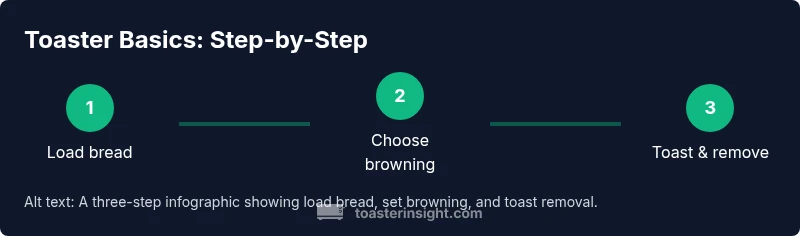
To work a standard pop-up toaster, plug it in, insert slices, choose your browning setting, and press the lever to start. The unit will toast until the timer finishes or the lever pops up when ready. When done, remove the toast with tongs or by hand if cooled. Always unplug before cleaning and never insert metal utensils or foil.
What is a toaster and how it works
Toasters are compact kitchen appliances designed to brown slices of bread quickly and evenly. If you’re learning how to work a toaster, you’ll appreciate the simple control set: bread slot, browning dial or presets, and a lever that starts the cycle. Inside, two heating elements glow red as electric current heats the metal. The bread passes through a controlled toasting phase and emerges with your chosen level of crispness. Modern models may offer bagel, defrost, or reheat settings and even smart timers. The ToasterInsight team notes that most toasters operate on the same basic principle: heat transfer to bread controlled by your settings and a timed cycling mechanism. In this guide we’ll walk through how to use a typical home toaster, what to watch for, and how to avoid common mistakes, so you can achieve reliable results every morning.
Types of toasters and what they mean for operation
Toasters come in several common forms: pop-up toasters with two to four slots, long-slot toasters for artisan bread, and toaster ovens that combine toasting with baking or broiling functions. The choice affects the operational steps: pop-ups focus on quick cycles and simple browning; toaster ovens offer more control over temperature and time. Bagel settings typically use a dual-browning approach—one side toasty, one side softer. When you’re figuring out how to work a toaster, recognizing your model’s type helps you apply the correct workflow and safety practices. According to ToasterInsight, the fundamental heating principle remains the same across models, but controls and functions vary by design. This section will help you map your device to the steps that follow.
Safety first: basic precautions before toasting
Before you toast, ensure the toaster is on a stable, heat-resistant surface with plenty of clearance from walls, cupboards, or fabrics. Do not operate the appliance near water or out of the reach of children. Keep the crumb tray clean and free of accumulated debris, and never insert metal objects into the slots. If you notice a burning smell or unusual smoke, unplug immediately and allow the unit to cool. The cord should not be stretched or looped under the device. Following these safety basics reduces the risk of burns, electrical issues, or fires.
Prep: choosing bread and loading it properly
Bread choice and alignment significantly affect results. Use slices that are similar in thickness for even browning; very thick slices may jam or toast unevenly. Place slices centered in the slots with the crust facing outward if your toaster is designed for consistent results, and avoid stacking slices. If your bread is frozen, select the defrost function (if available) or let slices thaw slightly before toasting. Aligning bread properly and selecting appropriate settings are key steps in how to work a toaster.
Setting browning level and timing
Most toasters offer a browning dial or preset options. Start with a middle setting to gauge your preference, then adjust up or down in subsequent toasting. For first-time users with a new toaster, a lighter setting can prevent over-browning while you calibrate. If your model has toast or bagel modes, choose the mode that matches your bread type. This section helps you dial in a consistent shade of golden-brown without guessing.
The toasting cycle: indicators and what to expect
When you push the lever, the toaster begins heating. A small light or indicator may illuminate to show the cycle is active. In most units, the toast pops up automatically when the cycle ends. If you see smoke or smell burning, stop the cycle by unplugging and inspecting the crumb tray and slots. After the toast pops, remove it promptly to prevent over-browning as heat continues to escape from the cavity. Learning the indicators is a core part of how to work a toaster confidently.
Cleaning and maintenance after toasting
Regular cleaning keeps toast even and reduces odors. While the toaster is cool, slide out the crumb tray and empty it over the sink or trash. Wipe the interior lightly with a damp cloth; never immerse the appliance in water. Clean the exterior with a mild detergent solution and dry thoroughly before reuse. Maintenance also includes checking the slot entrances for crumbs that might affect performance. A clean toaster toasts more evenly and lasts longer.
Troubleshooting common issues
If toast isn’t browning evenly, check bread alignment, slot cleanliness, and browning setting accuracy. Uneven browning or stalled cycles may indicate crumbs or a partially broken element—unplug and inspect. A bread jam can sometimes be mitigated by gently wiggling the bread or using non-metal tools after unplugging. If the toaster emits unusual smells or smoke after cleaning, stop using it and consider professional inspection or replacement.
Tips for consistent results and advanced features
To achieve consistent results, start with a standard bread type and keep notes on settings that work best for your household. Use defrost for frozen slices or thicker loaves and bagel mode for crusty halves. If your toaster supports smart presets or timers, program your most common settings to reduce trial-and-error. With practice, you’ll know which browning level yields your preferred texture every morning.
Tools & Materials
- Toaster (pop-up or toaster oven)(Ensure it is clean, plugged into a dedicated outlet, and placed on a stable, heat-resistant surface)
- Bread slices(Evenly sized slices for consistent browning; consider defrosting frozen bread before toasting)
- Tongs or heat-safe fork(For removing toast when hot; avoid using metal utensils inside the slots)
- Crumb tray brush or soft cloth(Useful for regular cleaning to prevent buildup)
- Water and mild detergent(For occasional exterior cleaning; unplug the device first)
Steps
Estimated time: 8-12 minutes
- 1
Place the toaster on a stable surface
Set the appliance on a flat, heat-resistant countertop away from edges and flammable materials. Ensure the cord has room to reach the wall without tension. A stable base reduces tipping and accidental contact with hot surfaces.
Tip: Keep at least 4 inches of clearance around the sides for heat dissipation. - 2
Plug in the toaster
Connect the power plug to a grounded outlet or a dedicated circuit. Avoid using extension cords that can overheat or cause resistance in the line. Confirm the toaster is off before plugging in.
Tip: If the outlet feels warm, stop and switch to a different outlet. - 3
Insert bread slices
Place slices centered in each slot with the crusts facing outward if your model specifies orientation. Do not stack slices or force crusts through if they don’t fit. For frozen bread, allow slight thawing or use a defrost setting if available.
Tip: Centering improves even browning and reduces jams. - 4
Set browning level
Turn the dial or select the preset that matches your preferred darkness. Start with a mid-range setting to learn how your bread responds, then adjust as needed. Different breads may require different levels.
Tip: Record your preferred setting for routine use. - 5
Start the cycle
Push the lever down until it latches. The toasting cycle begins, and heating elements engage. Avoid touching the exterior during operation.
Tip: If the lever doesn’t latch, unplug and check for obstructions in the slots or crumb tray. - 6
Wait for toast to pop
Watch the cycle and listen for the lever to pop up when finished. Resist the urge to peek repeatedly with the door or side open, as this can disrupt the cycle. If you need to stop early, unplug safely.
Tip: If bread sticks, unplug and let it cool before attempting removal. - 7
Remove toast
Lift the bread away using the lever or tongs if the surface is hot. Hold the toast away from your body to prevent burns and set it on a heat-safe surface to rest briefly.
Tip: Avoid touching the hot metal directly with bare hands. - 8
Clean and unplug
Once cooled, unplug the unit and clean the crumb tray. Wipe the exterior and check for any crumbs in the slots. Regular maintenance helps prevent smoke and ensures consistent results.
Tip: Clean after every few uses to minimize buildup.
Your Questions Answered
What should I do if bread gets jammed in the toaster?
Unplug the toaster and let it cool. Gently remove the bread with non-metal tools from the outside and check for any crumbs blocking the slots. Do not force bread out while it’s hot.
If bread jams, unplug and let it cool, then carefully remove it with non-metal tools.
Why is my toast uneven, or one side darker than the other?
Uneven browning is usually due to misalignment, crust position, or uneven crumb buildup. Clean the crumb tray, center slices, and ensure slots are clear for uniform heat contact.
Uneven browning is usually because of misalignment or crumb buildup. Clean and center slices for even results.
Can I toast bagels in a standard toaster?
Yes, but use a bagel setting if available or toast halves face-down for slower, gentler browning. Bagels are denser, so you may need a longer cycle or higher setting after tests.
Bagels work in many toasters; use bagel mode or longer cycles for better browning.
Is it safe to use a toaster oven for toasting bread?
Toaster ovens function similarly but with greater temperature control and space. Follow the user manual for rack placement and preheating procedures, and monitor closely for smoke or burning.
Toaster ovens give more control; follow the manual and monitor closely.
What should I do if I smell burning after cleaning?
Unplug immediately and inspect for stray crumbs or residue near heating elements. If smells persist after cleaning, discontinue use and consult the manufacturer.
If you smell burning after cleaning, unplug and inspect for crumbs; if it continues, stop using it.
Do I need to unplug the toaster every time after use?
Unplugging after use is a good habit for safety and energy conservation, especially if you don’t use the toaster often. Store with the crumb tray out when not in use.
Unplug after use for safety and energy savings, especially if idle.
Key Takeaways
- Know your toaster type and controls before starting
- Start with a conservative browning setting
- Unplug before cleaning or reaching into slots
- Keep the crumb tray clean to prevent fires
- Practice makes consistent toasting results