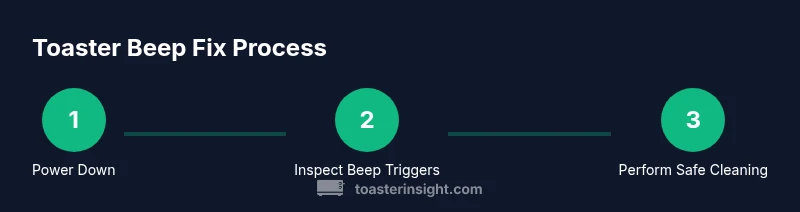
How to Stop a Toaster Oven from Dinging
Learn practical, step-by-step methods to stop a toaster oven from beeping and dinging. Troubleshoot causes, maintenance tips, and model-specific guidance for quiet, safe baking.


To stop a toaster oven from dinging, identify why it beeps and address the root cause. Adjust timer and temperature settings, ensure the door is fully closed, and clean out crumbs that may trigger sensors. If the beep persists after basic maintenance, consult the user manual or contact the manufacturer for guidance.
Why the Beep Happens: Understanding the Beep Signals
Toaster beeps are designed to catch your attention, not to punish your recipe. When you ask how to stop a toaster oven from dinging, the first step is understanding what triggers the sound. According to ToasterInsight, most beeps come from one of a few common sources: the end of a cooking timer, a temperature safety warning, a door latch or sensor that detects an open door, or a buildup of crumbs that interferes with sensors. In high-end models, smart beeps may indicate a firmware state or a fault code. Before you start throwing away dishes, pause and observe: does the beeping occur at the end of a cycle, during preheat, or after you remove food? Documenting the pattern helps you identify root causes quickly and reduce repeated beeps in the future.
If you’re wondering how to stop a toaster oven from dinging, the quickest route is to confirm whether the beep is a normal end-of-cycle alert or a potential issue that requires cleaning or adjustment. A normal end-of-cycle beep should occur once, and stop after you remove the food or silence the unit using its control panel. Repetitive or looping beeps almost always point to a sensor problem, a stuck button, or malpositioned cookware. In these cases, you’ll want to move methodically from basics to more thorough checks, using the logic of elimination rather than random tweaking. The objective is not to silence a warning, but to restore accurate signaling so the oven behaves predictably during everyday cooking.
Common Causes of Beeping in Toaster Ovens
Beeping can have several roots, and recognizing the pattern helps you narrow the fix. Common culprits include the following:
- End-of-cycle timer beep: A standard alert that the selected cooking duration has elapsed.
- Temperature warning: The oven has surpassed a safe preheat or cooking temperature, triggering a beep to prevent overheating.
- Door latch or sensor issue: If the door isn’t sealing properly, sensors may continuously trigger beeps.
- Sensor or crumb build-up: Crumbs around sensors or in vents can create false readings and unwanted beeps.
- Button or keypad fault: A stuck button or short in the control panel can produce persistent sounds.
Understanding these patterns helps you decide where to start: quick resets and cleaning, or deeper sensor checks. If you see fault codes on some models, consult the manual for code explanations and exact repair steps.
The Diagnostic Plan: A Practical Checklist
A structured diagnostic plan saves time and reduces unnecessary tinkering. Follow this checklist to determine whether the beeping is routine or a sign of a fault:
- Confirm model behavior: Is the beep at the end of a cycle or during a preheat stage? Note the timing.
- Inspect sealing and door alignment: Ensure the door closes fully and forms a tight seal.
- Check for visible debris: Crumbs near sensors, vents, and the crumb tray can trigger sensors.
- Test with the tray removed: Sometimes faulty tray positioning causes misreads.
- Review timer and temperature controls: Ensure the settings reflect your intended cook and reset if the unit seems off.
- Run a static test: Unplug for 1 minute, then plug back in and perform a short bake cycle with a known food item to observe beep behavior.
Document cycles, temperatures, and outcomes as you go. This log helps you communicate clearly with support if needed and prevents repeating the same steps.
Maintenance and Cleaning to Reduce False Beeps
Persistent beeping often reduces with thorough cleaning and routine maintenance. Here are maintenance practices that help:
- Unplug and cool before cleaning: Always disconnect power before touching internal components to avoid shock or damage.
- Clean the crumb tray and interior: Remove crumbs from the tray and wipe interior surfaces with a damp cloth. A soft brush or compressed air can help reach vents.
- Inspect sensors and heating elements: Gently wipe around sensors and the front-facing heating area to remove dust and grime.
- Check for worn door seals: A damaged seal can trigger sensor alarms; replace per the manual’s guidance.
- Keep the exterior dry: Don’t allow liquids to pool around control panels or the power plug.
Regular maintenance reduces false alarms and extends the life of the appliance. If you notice any corrosion, unusual smells, or consistent beeps after cleaning, escalate the issue per manufacturer instructions.
Model-Specific Considerations and Settings
Not all toaster ovens offer the same beeping controls. Some models provide a mute or beep-silence option in the settings menu; others rely on clear warnings that cannot be disabled. Your first resource should be the manual. If the manual suggests a beep-silence feature, enable it following the exact steps because incorrect changes can compromise safety. For models without a silence option, you’ll need to rely on beeping reduction through the steps above—cleaning, door adjustment, and sensor checks. When comparing models, look for beeps as a feature to be controlled via software rather than a fixed alert, which adds flexibility for households with noise sensitivity.
- Record model-specific steps: If you own multiple units, map out the exact process for each to avoid cross-model confusion.
- Be mindful of firmware updates: Some modern toaster ovens receive firmware updates that alter beep behavior. Check the manufacturer’s site or app for updates.
ToasterInsight’s researchers note that aligning beeping behavior with your daily routine can reduce annoyance while preserving safety. If your device remains noisy, verify that you have the correct model version and that all recommended steps are followed.
Safety-First: When to Stop and Seek Service
Safety comes first. If you notice signs of electrical trouble, overheating, melted plastic, buzzing, crackling sounds, or any smoke, stop using the appliance immediately and unplug it. Do not attempt internal repairs beyond cleaning and basic checks described in the manual. If the unit is under warranty, contact the manufacturer or an authorized service center before performing any disassembly. Persistent beeps after all safe steps may indicate a failing sensor or controller module that requires professional service.
In all cases, prioritize a safe replacement or repair path rather than forcing a silent unit that may conceal a bigger problem. The goal is dependable signaling—beeps should alert you to real issues, not become background noise that you ignore. If you’re unsure about a step, consult the manual or reach out to a qualified technician for guidance.
How to Verify the Fix with a Controlled Test
Verification ensures you’ve properly addressed the dinging problem. Use a controlled test workflow:
- Reset and re-test: After completing the maintenance steps, recheck the device by running a short bake cycle with a simple snack (e.g., a small bagel or toast) to simulate normal use.
- Observe beep timing: Note whether the beep occurs at the end of the cycle or if it repeats unexpectedly.
- Document outcomes: Record the cycle duration, temperature, and the beeping behavior for future reference.
- If beep persists, broaden the diagnosis: Consider sensor alignment, door latch wear, or a failing control board. Use the manual’s fault codes or contact support with your observations.
- Final check: Ensure the crumb tray is reinserted correctly, the door shuts fully, and there are no loose parts before returning to regular operation.
A successful verification yields a single, predictable end-of-cycle beep with no unexpected repeats, enabling smooth daily use.
Tools & Materials
- Owner’s manual for your toaster oven(Important for model-specific beeping behavior and recommended maintenance)
- Soft microfiber cloth(For wiping crumbs, interior surfaces, and glass door)
- Soft brush or compressed air(To dislodge crumbs from vents and heating elements)
- Q-tips or cotton swabs(For cleaning sensor gaps and hard-to-reach crevices)
- Isopropyl alcohol (70%)(Use sparingly for stubborn grime; avoid applying near heating elements)
- Precision screwdriver (small)</name(Only if manual requires internal access)
Steps
Estimated time: 30-60 minutes
- 1
Power down and unplug
Ensure the unit is unplugged and completely cool before you touch any internal parts. This is the safest starting point and prevents electrical shock.
Tip: Wait 60 seconds after unplugging to allow capacitors to discharge. - 2
Inspect door seal and latch
Check that the door closes fully and forms a tight seal. A misaligned door can trigger sensors and cause repeated beeps.
Tip: Gently press around the door to test for air gaps without forcing the latch. - 3
Review timer and temperature settings
Verify the timer is not set to an unusually long duration and that the temperature aligns with your recipe. A mis-set timer can cause a constant alert.
Tip: If your model offers a beep-silence option, disable it only per the manual. - 4
Clean interior and crumb tray
Remove the crumb tray, wipe down the interior surfaces, and brush vents to remove debris that interferes with sensors.
Tip: Avoid using water on heating elements or electronic panels. - 5
Inspect sensor and heating area
Look for grime around the sensor window and near the front heating elements. Clean any visible dust carefully with a cotton swab.
Tip: Do not apply pressure to sensitive components. - 6
Run a controlled test bake
Perform a short bake cycle with a simple item to observe beep behavior and confirm the beeping pattern is resolved.
Tip: Document the timing and temperature for reference. - 7
Consult manual or service if issues persist
If the beep continues after all safe steps, contact the manufacturer or a qualified technician for further diagnosis.
Tip: Avoid disassembly beyond the manual’s guidance to prevent warranty voidance.
Your Questions Answered
Why does my toaster oven beep at the end of a cooking cycle?
The beep usually signals that the set timer has finished. It can also indicate a safety alert if temperature or door status triggers a sensor.
The beep at the end of a cycle simply means the timer finished, but it can also warn you if something else is off, like temperature or door status.
Can beeping be silenced permanently?
Some models offer a mute or beep-silence option in the settings; others do not. Always check the manual and avoid disabling safety alerts.
Some ovens let you mute the beep, but not all models do. Check your manual before changing settings.
What should I do first if the thing keeps beeping after cleaning?
Recheck the door seal, timer, and any sensors for remaining debris or misalignment. If the issue persists, run a controlled test and consult the manual.
If it still beeps, recheck the door, timer, and sensors, then perform a test bake and refer to the manual if needed.
Is it unsafe to ignore the beeping?
Yes. Beeping often signals a safety condition like overheating or improper sealing. Do not ignore persistent alerts.
Ignoring a beep can be unsafe because it may indicate overheating or a door issue.
How long does it typically take to fix beeping in most models?
Fixes usually involve cleaning, door alignment, and sensor checks and can take 15–45 minutes depending on the cause and model.
Most fixes take about 15 to 45 minutes, depending on what part needs maintenance, like sensors or the door seal.
Do all toaster ovens beep, or do some silent beeping?
Most toaster ovens beep to signal status, but some models offer silent modes or muted alerts. Check the user manual for options.
Most beep, but some models can be muted or have silent modes. Check the manual.
Watch Video
Key Takeaways
- Identify the beep source before acting
- Clean and maintain to reduce false beeps
- Follow the model manual for safe silencing options
- If problems persist, seek professional service
- Document tests to help future diagnostics