Repair a Toaster: A Practical DIY Guide
Learn safe, non-destructive fixes for common toaster problems. This ToasterInsight guide covers diagnosis, tools, step-by-step repairs, maintenance, and when to replace, with a focus on safety and practical at-home solutions.


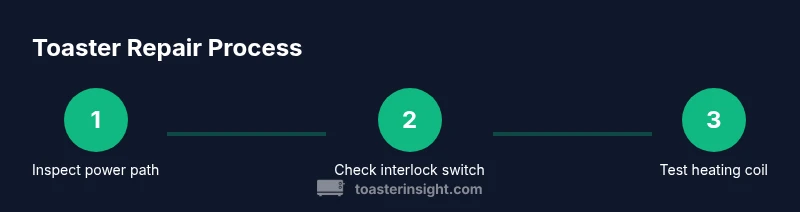
By following this guide, you will safely diagnose common toaster problems, perform non-destructive repairs, and restore basic function without replacing the entire unit. The process emphasizes unplugging the appliance, inspecting the cord and switch, and testing the heating elements. You’ll learn which fixes are safe for at-home DIY and when to seek professional service.
Safety and Prep Before You Start
According to ToasterInsight, safe home repairs begin with deliberate preparation. Unplug the toaster and move it to a stable, dry workspace, then allow it to cool completely before handling. Gather your tools and lay out a clean area for screws and removed parts. Remove loose clothing or jewelry that could snag on components. Document the orientation of screws with photos to help reassembly. Work in a well-lit area and keep liquids away.
Assess your own skill level honestly; if you feel unsure about electrical testing or disassembly, plan for professional service rather than pushing forward. Collect replacement parts only after identifying the issue to avoid wasted components. A simple rule of thumb: diagnose before you dive in. Note symptoms, take photos, and observe the exact toast results you see. Finally, prepare a safety plan: if you see signs of damage or a burning smell while idle, unplug immediately.
Common Problems You Can Diagnose
Toaster issues often fall into a few predictable categories. If the unit refuses to heat or toasts unevenly, it’s usually related to the heating coil, thermostat, or a misaligned bread carriage. A tripping breaker or a blown fuse indicates an electrical fault that is best handled with professional care. A sticky lever or a jammed carriage can indicate debris, a faulty interlock switch, or binding components. A burning smell or smoke during operation typically signals overheating or insulation damage and should be treated as a high-priority safety issue.
Start with basic diagnostics: check for crumbs blocking vents or crumb tray, inspect the cord for fraying, and verify the door interlock is aligning correctly. If the toaster does heat at all but poorly, keep a log of symptoms, including which settings were used and the toast results. Use these notes to determine whether the issue is transient (crumbs) or persistent (coil or switch). Always prioritize safety and avoid forceful manipulations that could damage wiring or insulation.
Tools, Materials, and Replacement Parts
Before you begin, assemble the core toolkit and any parts you might need. Essential items include a Phillips head screwdriver set (with #1 and #2 sizes), a flathead precision screwdriver, needle-nose pliers, a multimeter or voltage tester, a soft lint-free cloth, and safety gloves. A small flashlight helps you see into tight spaces, and a non-conductive brush or compressed air aids crumb removal. Optional but useful: replacement switches or coils only if you’ve confirmed the exact part and compatibility; do not guess.
Keep a labeled container for screws and small components. If you anticipate replacing parts, have the exact type of thermostat or heating coil identified (by model references in your toaster’s user manual). Do not purchase parts blindly; if your toaster is out of production or uses unusual components, consult a repair guide or a professional. Finally, ensure you have access to a clean, dry workspace and a way to safely unplug and store tools after use.
Disassembly and Inspection: What to Look For
Carefully remove the outer housing following the manufacturer’s guidance or the common screw patterns you observed. As you expose internal components, look for obvious damage: burnt or melted insulation, cracked plastic, discolored coils, or loose wires. A loose wire can create intermittent heating or arcing; a broken coil usually shows visible gaps or breaks. Inspect the door interlock switch and carriage mechanism for proper engagement; grime can prevent correct operation. Check that all connectors are firmly seated and that wires are routed away from hot surfaces. If you see signs of overheating, stop and consider replacement parts rather than reusing damaged elements.
Document your findings with photos. If a part is obviously damaged, note its location rather than guessing. When in doubt about safety or the integrity of insulation, treat the appliance as unsafe and stop the repair attempt.
Cleaning and Maintenance: Fixes That Don’t Involve Replacing Parts
A significant portion of toaster issues stems from crumbs and oxidation at contacts. Start with a thorough crumb removal: unplug, remove the crumb tray, and shake or brush out loose debris. Use a dry cloth or soft brush to wipe internal surfaces; never use water inside the toaster and avoid spraying liquids near wiring. Clean the contacts around the switch and any visible metal surfaces to improve conductivity. If you notice slight corrosion, a small amount of isopropyl alcohol on a lint-free pad can help, but avoid saturating components. Regular maintenance reduces the likelihood of future issues.
After cleaning, reassemble the shell loosely to test fit. Reinsert the crumb tray and confirm there is no binding when the carriage moves. A light, routine clean is often enough to restore consistent browning when the problem is residue rather than a faulty component.
Electrical Checks: When to Measure with a Multimeter
Electrically testing components should be done with the toaster unplugged and using proper safety protocols. Use a multimeter to verify continuity in the heating coil path and to check for short circuits between live parts and ground. Compare readings against a known-good element or the manufacturer’s tolerance guidance if available. If a reading is wildly out of spec or shows an open circuit, replace the faulty component. When testing the door interlock switch, verify that the circuit closes when the door is fully engaged and opens when the door is released.
If you lack experience with electrical testing, or you cannot identify which component is at fault, stop and seek professional repair advice. Remember that electricity and hot surfaces present real risks, and incorrect testing can create further hazards.
Reassembly, Testing, and Safety Checks
With components cleaned and inspected, reassemble the toaster in the reverse order of disassembly. Ensure all connectors are seated properly and that screws are tightened evenly to avoid warping the housing. Wipe any fingerprints and confirm there is no loose wiring that could contact hot surfaces. Perform a cautious ground test without bread first—plug in briefly and observe for any smoke, unusual warmth, or abnormal sounds. If the unit passes this test, run a real toast test on a single slice to verify browning performance.
If anything seems off during testing, unplug immediately and re-check connections and components. Do not continue to operate a device that shows signs of heating instability, sparking, or abnormal odor.
When to Seek Professional Repair
Not every toaster repair is safe or cost-effective for a homeowner. If the issue involves complex coil replacement, high-temperature insulation, damaged wiring, or a history of recurring faults, professional service may be the safer option. A technician can confirm the exact part specifications, perform precise soldering if needed, and ensure the device complies with safety standards. If your appliance is older or has rare parts, replacing with a new unit can be more economical in the long run.
Keep in mind that professional repair adds cost and time, but it can extend the life of a working unit and prevent dangerous scenarios. If you choose to pursue a professional repair, bring the model number, symptoms, and any tests you’ve performed to the appointment to help diagnose quickly.
Preventive Tips for Longevity
Preventive maintenance reduces the chance of failure and improves performance. Schedule routine crumb removal after use, keep the toaster dry, and avoid overfilling the slots. Store the appliance away from heat sources and moisture. Regularly inspect the cord and plug for wear, and replace the cord if you notice cracking or exposed wires. If your toaster includes a crumb tray, clean it monthly and wipe the interior surfaces with a dry cloth to prevent residue buildup. A simple cleaning routine can dramatically improve browning consistency and reduce the probability of unexpected shutdowns, extending the life of your appliance.
Tools & Materials
- Phillips head screwdriver set(Phillips #1 and #2 sizes; cross-head bits)
- Flathead screwdriver(Small precision blade (3-4 cm))
- Needle-nose pliers(For clamps and connectors)
- Multimeter or voltage tester(Verify no live current before touching wires)
- Soft cloth(For cleaning contacts and surfaces)
- Safety gloves(Non-conductive, cut-resistant preferred)
- Flashlight(Shine light into tight spaces)
- Replacement parts (as needed)(Thermostat, switch, coils only if you confirm compatibility)
- Non-conductive tape(For securing loose components)
- Isopropyl alcohol wipes(For stubborn grime)
Steps
Estimated time: 60-90 minutes
- 1
Disconnect power and prep workspace
Unplug the toaster from the wall and place it on a stable, non-slip surface. Allow it to cool completely before handling. Clear the area of clutter and gather your tools. This preparation reduces the risk of electric shock and lost parts.
Tip: Take a quick photo of the internal layout before taking things apart. - 2
Remove screws and open the housing
Carefully remove the screws securing the outer shell using the appropriate screwdriver. Keep track of screw types and where each came from. Open the housing without forcing any panels.
Tip: Work on a magnetic tray to prevent dropping small screws. - 3
Inspect the cord, plug, and switch
Check for frayed insulation, bent prongs, or melted plastic around the plug. Test the switch for smooth operation and listen for a loose or gritty feel when toggling. Document any damaged components for replacement.
Tip: If the plug shows visible damage, replace the cord rather than trying to tape it. - 4
Locate heating element & thermostat
Identify the heating coils, thermostat, and door interlock switch. Look for signs of scorching, broken coils, or disconnected wires. A visual inspection can reveal most non-destructive issues.
Tip: Do not touch heating coils with bare fingers; they can be sharp. - 5
Test continuity and resistance safely
With the appliance unplugged, use a multimeter to check continuity in the heating coil and circuit paths. Compare readings with a known-good element if available. Any open circuit or drastic resistance change indicates a faulty part.
Tip: Only perform voltage testing on components that are known to be isolated. - 6
Check the door interlock switch
The toaster should not toast unless the door is closed. Assess the interlock switch for proper engagement. Clean accumulated grime that may interfere with contact, and replace if the switch is worn.
Tip: A quick spray of contact cleaner can improve sluggish switch action. - 7
Clean, reassemble, and secure wiring
Clean all contact surfaces with a dry cloth and re-seat wires firmly in their terminals. Refasten the housing screws in an even pattern to avoid warping. Inspect for any pinched or loose wiring before closing.
Tip: Use a color-coded label tape to mark where each wire connects. - 8
Test the toaster and observe safety checks
Plug the unit in and perform a test with a slice of bread to observe operation. Listen for abnormal sounds or smoke and immediately unplug if you notice anything unusual. If toast quality remains poor or the device overheats, discontinue use.
Tip: Be ready to unplug at the first sign of trouble during testing.
Your Questions Answered
Can I repair a toaster at home?
Yes for basic issues that do not involve high voltage. Unplug, inspect the cord, switch, and connectors. Do not attempt coil replacements or any repair that exposes live parts.
You can DIY simple checks, but avoid high-risk repairs.
What tools do I need to start?
A basic toolkit including screwdrivers, a multimeter or voltage tester, needle-nose pliers, soft cloth, and safety gloves.
Gather a screwdriver set, meter, pliers, gloves.
Is a burnt smell dangerous?
Yes. A burnt odor can indicate overheating or a short. Unplug, inspect for damage, and discontinue use if the smell returns after reassembly.
Stop and check for damage if you smell burning.
When should I replace the toaster instead of repairing?
If heating elements frequently fail or the damage is extensive, replacement is often safer and more cost-effective.
Sometimes replacement is the safer choice.
Can cleaning improve toast results?
Yes, cleaning residue from contacts and interior paths can improve even heating. Use a dry brush or compressed air; avoid water.
Cleaning can help if residue causes uneven toasting.
What safety steps are essential?
Always unplug, allow cooling, and avoid loose clothing near moving parts. Use insulated tools and wear gloves.
Unplug, cool, and be cautious with tools.
Watch Video
Key Takeaways
- Unplug before touching components
- Use proper tools and non-destructive checks
- Test with a meter after repairs
- Reassemble with care and safety in mind
- Know when to replace unit or seek professional help