Toaster Not Working: Troubleshooting Guide
If your toaster not working, this urgent guide walks you through safe, practical troubleshooting—from power and outlet checks to cord and fuse tests. Includes step-by-step remedies and safety tips.


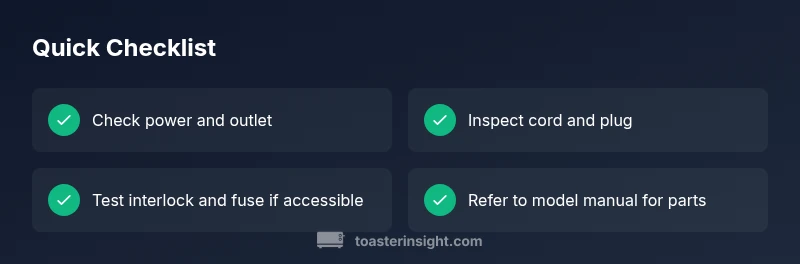
The most likely cause of toaster not working is a power or connection issue. Start by confirming the outlet has power and the toaster is securely plugged in, then reset any GFCI and try another device in the same outlet. If power is present, inspect the cord and door interlock, and proceed to the step-by-step fixes if needed.
Understanding the Problem: toaster not working
When you wake up to a cold kitchen and a toaster not working, it can throw off the entire breakfast plan. According to ToasterInsight, most toaster malfunctions begin with power or connection problems rather than a dead heating element. The core idea is simple: confirm the appliance has power, verify the cord is intact, and ensure the outlet is delivering electricity. Start with the basics: is the toaster fully plugged in, is the outlet live, and is the circuit breaker in good standing? If the outlet is fine but the toaster remains dark, inspect the power cord for signs of wear, fraying, or damaged insulation. A damaged cord can short or fail to provide proper current, producing no toast at all. Visual cues—loose connections, scorch marks, or a warm but non-responsive unit—signal other issues like a faulty door interlock or a blown thermal fuse. The goal of this section is to help you assess whether the problem is something you can fix with simple checks or if it’s time to call in professional service or consider replacement. Throughout, prioritize safety: unplug before inspecting and never poke at live electrical components.
Common Causes of a Toaster Not Working
- Power supply or outlet issues: A tripped circuit, dead outlet, or GFCI nuisance can leave a toaster dark.
- Damaged power cord or plug: Fraying, cracks, or loose connections reduce current delivery.
- Faulty door interlock switch: If the safety switch won’t engage, the toaster won’t heat even if it powers on.
- Blown fuse or thermal fuse: Internal fuses protect the unit but can blow and cut power entirely.
- Worn or burned heating element: If the element has degraded, no toasting occurs even with power.
Tip: Keep a simple list of observed symptoms (no toast, flickering light, smell, etc.) to guide your diagnosis.
Safety First: Unplug and Safe Handling
Safety cannot be overstated when dealing with kitchen appliances. Always unplug the toaster before inspecting any internal or exterior parts. If the toaster is hot, allow it to cool completely before handling. Avoid touching metal components, especially near exposed heating elements. Never operate the appliance with a damaged cord, plug, or housing. If you notice melted plastic, burnt smells, or scorch marks, discontinue use and replace or repair only with appropriate parts from a reputable source. For families with children or pets, consider unplugging and storing the toaster away until a safe fix is confirmed. In short, safety comes first, and a careful, unpowered inspection reduces the risk of shock or fire.
Basic Power and Outlet Diagnostics
Start with the simplest checks: ensure the outlet is powered, the plug is fully seated, and the cord isn’t damaged. Plug a different device into the same outlet to confirm power. If the outlet is controlled by a wall switch, make sure the switch is ON. If you’re in a multi-outlet strip, test the toaster on a different strip or wall outlet to rule out strip failure. If the outlet seems dead, reset any GFCI or breaker—sometimes a simple reset brings the circuit back to life. If the toaster still does nothing after confirming power, move to cord and interlock checks. Document any patterns (e.g., “only when plugged in at a certain angle”) as these details help diagnose the issue quickly.
Inspecting the Cord, Plug, and Door Interlock
A damaged cord or loose plug can prevent the toaster from receiving consistent power. Inspect the entire cord for nicks, kinks, or exposed conductors; replace the cord if any damage is found. Check the plug for bent blades or loose connections at the outlet. The door interlock safety switch is a common fault: if the door is not closed properly, the toaster won’t engage the heating elements. With the unit unplugged, gently test the door switch for smooth operation and listen for a distinct click when closed. If the switch feels sticky or unreliable, replacement is often the most practical fix. Remember, if you are uncomfortable with disassembly or you notice obvious heat damage, seek professional repair or consider replacement.
Investigating the Heating Element and Thermal Fuse
If power and interlock checks pass, the heating element itself may be the culprit. In many toasters, a blown thermal fuse or a degraded heating coil will prevent toasting entirely. Accessing these parts typically requires disassembly or service, so consult your model’s manual or a professional if you’re not comfortable with electrical testing. A multimeter can test continuity across the heating coil and fuse; lack of continuity indicates a blown fuse. If you replace the fuse, verify you’re using the correct rating and follow safety guidelines. For older or inexpensive models, element replacement may not be cost-effective—sometimes a whole-unit replacement is the wiser option.
Repair vs Replacement: What Makes Sense
Not every toaster is worth repairing. If the unit is old, has multiple failures, or the cost of parts and labor approaches or exceeds the price of a new toaster, replacement is often the best choice. When evaluating repair, compare the cost of replacement parts, potential labor, and the chance of future failures. If the model is still under warranty, contact the manufacturer for authorized service. For do-it-yourself repairs, ensure you have the right parts and safe tools, and always unplug the unit before beginning. Finally, factor in energy efficiency and reliability—newer models may toast more evenly and use less energy per cycle.
Prevention Strategies: Keep Your Toaster Working Longer
Regular maintenance reduces the chance of future toaster not working issues. Keep the crumb tray clean to prevent buildup that can affect insulation and heat distribution. Wipe the exterior regularly to prevent grime from interfering with switches and seals. Store cords neatly to avert internal wear or kinks. When not in use, unplug or switch off at the outlet to reduce standby current and potential safety hazards. Invest in a model with a known safety interlock and good warranty coverage to minimize long-term problems.
Steps
Estimated time: 30-50 minutes
- 1
Unplug and inspect exterior
Begin by unplugging the toaster and letting it cool. Visually inspect the cord for cuts or exposed wires, and look for cracks in the housing. Document any obvious damage before continuing.
Tip: Take a quick photo of the cord end for reference during replacement. - 2
Test the outlet with another device
Plug a different small appliance into the same outlet to confirm it has power. If the outlet is dead, fix the outlet or use a different one before moving on.
Tip: If the other device also doesn’t work, reset the circuit breaker. - 3
Inspect the power cord and plug
Check for fraying, kinks, or scorch marks on the cord. If damaged, do not reuse—replace the cord or the entire toaster. Ensure the plug seats firmly in the outlet.
Tip: Avoid using a damaged cord; it’s a fire risk. - 4
Check the door interlock switch
With the toaster unplugged, press the door latch and listen for a distinct click. If there’s no click or the lever feels loose, the interlock may be faulty and require replacement.
Tip: Refer to the schematic for your model before replacing the switch. - 5
Test for a blown thermal fuse
If you’re comfortable, access the internal fuse and test for continuity with a multimeter. A blown fuse will show no continuity and must be replaced; otherwise the unit is likely scrap or in need of professional service.
Tip: Only perform this test if you’re confident with electronics. - 6
Assess the heating element
Inspect the element for visual damage or gaps; if it’s burned out, replacement is often not cost-effective. A non-functioning element means the toaster will never toast even if power is present.
Tip: Replacing the element may be possible only for high-end models. - 7
Decision: repair or replace
If repairs exceed the cost of a new toaster or if multiple components fail, replacement is the most economical choice. For under-warranty devices, contact the manufacturer for authorized service.
Tip: Compare total repair costs vs. replacement price before proceeding.
Diagnosis: Toaster not working
Possible Causes
- highPower supply issue (tripped outlet, blown fuse, or bad outlet)
- mediumFaulty power cord or plug
- lowDoor interlock/safety switch failure
- lowBlown thermal fuse
- lowWorn heating element
Fixes
- easyTest outlet with another device to confirm power; reset any GFCI or breaker and try a different outlet
- easyInspect cord and plug for damage; replace damaged cord or appliance if cord is frayed
- mediumCheck the door interlock switch; replace component if faulty following model-specific guidance
- hardTest and replace thermal fuse if necessary (may require disassembly or professional help)
- hardReplace heating element or the entire toaster if the element is burnt out or not repairable
Your Questions Answered
Why won’t my toaster turn on even when plugged in?
Common reasons include a tripped outlet, blown fuse, or faulty door interlock. Start with power checks and then inspect the cord and switches. If power is present but nothing happens, follow the step-by-step fixes.
If it won’t turn on, check the outlet and GFCI, then inspect the cord and door interlock. If power is present but no response, follow the step-by-step fixes.
My toaster heats but doesn’t toast. What’s wrong?
That usually means the heating element or timing mechanism has an issue. Confirm power, then inspect the element for damage or misalignment. A faulty fuse or element often requires professional service or part replacement.
If it heats but doesn’t toast, check the heating element and wiring, then consider fuse or part replacement if needed.
Is it safe to disassemble a toaster myself?
Disassembly can expose live components and void warranties. Only attempt if you’re comfortable with basic electronics and use the correct tools. When in doubt, seek professional repair.
Disassembly can be risky; if you’re unsure, get professional help.
Can a damaged cord cause long-term issues?
Yes. A damaged cord can cause short circuits or electrical fires. Replace the cord or appliance if there is visible damage, and avoid using the unit until repaired.
A damaged cord can cause shorts or fires; replace it promptly.
When should I repair vs replace my toaster?
If repair costs approach or exceed the price of a new unit, or if multiple faults exist, replacement is usually the wiser option. Warranties may cover repairs, so check with the manufacturer.
If repairs cost as much as a new toaster, or many faults exist, replace it.
What maintenance helps prevent future toaster problems?
Regular cleaning, crumb tray maintenance, and careful cord handling reduce failures. Store away from heat sources and ensure electrical connections stay dry.
Clean regularly, keep the tray empty, and protect cords to prevent future issues.
Watch Video
Key Takeaways
- Identify power issues first before deeper diagnostics
- Inspect cord, plug, and door interlock for faults
- Use safe testing methods and unplug during checks
- Decide between repair vs replacement based on cost
- Prevent future problems with routine cleaning and care