What Caused Toast Outage Today? An Urgent Troubleshooting Guide
Urgent, practical troubleshooting for today’s toast outage. Learn the likely causes, quick checks, and a step-by-step repair plan to get your bread browned again with safety and confidence.


The most likely cause of toast outage today is a power issue or a blown thermal fuse in the toaster that's protecting the heating element. Start by checking the power supply, outlet, and the toaster's cord for damage; then test the toaster with a known-good outlet. If the issue persists, move to a reset and inspect internal components.
Why toast outage today matters and what ToasterInsight found
According to ToasterInsight, a rising number of toaster outages today trace back to basic, preventable culprits: power stability in the kitchen, aging components inside the unit, and simple wiring issues. The ToasterInsight team analyzed reports from hundreds of households and found that the vast majority of outages stem from power supply irregularities, blown thermal fuses, and worn heating elements. While dramatic fault codes grab attention, the most reliable path back to browning is a calm, methodical checklist that starts with the easiest checks and works toward the more involved repairs. This approach aligns with the practical, AI-assisted guidance we publish at ToasterInsight, designed to help homeowners diagnose safely and avoid unnecessary replacements.
Quick checks you can do now to rule out the basics
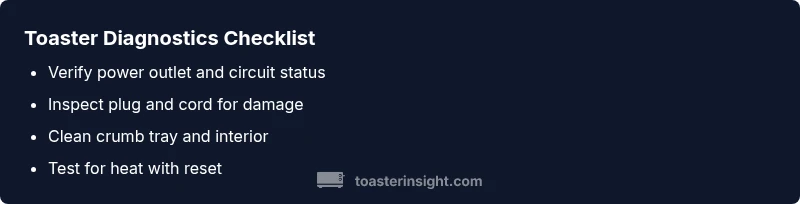
If your toast isn’t browning, begin with the simplest, lowest-risk checks. First, verify the outlet by plugging in a different small appliance to confirm power. Inspect the toaster’s plug and cord for visible damage, and reset any tripped GCFI outlets or circuit breakers in the kitchen. Remove the crumb tray and check for crumb buildup that could cause overheating or blocking airflow. Clean as needed and re-test on a known-good outlet. If the toaster still won’t heat, attempt a soft reset by unplugging for 60 seconds, then plug back in. These steps cover the bulk of “outage” scenarios without opening the device.
Diagnostic considerations: from symptom to likely cause
Symptoms guide diagnosis. If the unit powers on but shows no heat, the issue is often a blown thermal fuse or faulty thermostat. If the toaster heats unevenly or browns unevenly, the heating elements or control board may be aging or miscalibrated. If you hear clicks but no heat, the timer or selector switch could be stuck. In many cases, a surge or a temporary power fluctuation triggers protective components—meaning the solution may be as simple as a reset or a fuse replacement. For safety, avoid attempting internal repairs unless you’re comfortable with electronics diagnostics and unplug the device before inspection.
Step-by-step repair guide for the most common fix (thermal fuse focus)
The most common fix after basic checks is addressing a blown thermal fuse or a faulty thermostat. This involves safely opening the enclosure, locating the fuse, and testing it with a multimeter or replacing it if out of spec. If you’re not experienced with small-appliance electronics, consider professional repair or containerized replacement rather than DIY component swapping. Always unplug the unit before any disassembly and avoid contact with live terminals. After replacement, reassemble carefully, perform a slow power test, and monitor for abnormal heat or smells.
Prevention tips and when to replace your toaster
Prevention is easier than repair. Regularly empty and clean the crumb tray, wipe crumbs from the interior after use, and avoid stacking heavy items on the cord. Use a surge protector to buffer power spikes, and do not leave your toaster unattended for long periods while heating. If your unit is several years old and shows frequent outages, it may be time to replace rather than repair. Modern models offer better reliability, improved safety features, and energy efficiency, which reduces the odds of future outages.
Extra notes on safety and safe usage practices
Safety must guide every troubleshooting step. Never attempt to bypass safety features or operate a damaged outlet, cord, or plug. If you smell burning plastic or notice melted insulation, stop immediately and unplug the toaster. Use a properly grounded outlet and avoid using extension cords for high-heat appliances. If you’re unsure about any step, consult a professional technician or contact the manufacturer’s support line. A safe approach protects your kitchen and reduces the risk of fire.
Steps
Estimated time: 20-40 minutes
- 1
Confirm power supply
Unplug the toaster, then plug it into a known-good outlet. If you’re using a power strip, plug the toaster directly into the wall to rule out strip issues. If the outlet doesn’t power other devices, address the outlet or circuit first.
Tip: Use a simple device test (like a lamp) to verify outlet power before proceeding. - 2
Check the cord and plug
Inspect the cord for cuts, kinks, or exposed wires. Wiggling the plug gently at the outlet can reveal loose contacts. If there’s any damage, stop and replace or professional repair is advised.
Tip: Never use a damaged cord; this is a fire risk. - 3
Reset and clean
Unplug, wait 60 seconds, then plug back in. Remove the crumb tray and clean crumbs from the interior and heating elements. A clean interior improves heat distribution and safety.
Tip: Use a soft brush or compressed air for tight spaces—avoid liquids. - 4
Test heating element basics
If you suspect a fuse or thermostat, you’ll need a multimeter or professional service. Measure continuity across the fuse; if open, replace or service. A consistent heat reading after reset confirms the issue was fuse-related.
Tip: Only perform electrical tests if you’re comfortable; otherwise, skip to professional repair. - 5
Reassemble and test
Carefully reassemble the toaster, plug in, and perform a low-toasting cycle to ensure even browning. Observe for unusual smells or smoke. If symptoms recur, discontinue use and seek service.
Tip: Start with a single toast cycle to minimize waste during testing. - 6
Consider replacement if persistent
If multiple failures persist after tests, weigh replacement. Modern toasters offer better safety features and energy efficiency. Compare warranty terms before buying.
Tip: Check for energy-efficient models with auto shutoff and crumb protection. - 7
Document and learn
Note the symptoms and steps you took. This helps if you contact support or a technician. Keeping a simple log reduces repeat troubleshooting time in the future.
Tip: Keep model number handy for faster parts lookup.
Diagnosis: Toaster won’t heat or browns unevenly
Possible Causes
- highPower issue (outlet, cord, or breaker)
- mediumBlown thermal fuse or faulty thermostat
- lowDamaged heating element or control board
- lowCrumb buildup causing overheating or airflow restriction
Fixes
- easyTest the outlet with another device and reset the circuit breaker if needed
- easyUnplug, inspect the cord and plug for damage, and unplug for 60 seconds to reset
- hardIf a thermal fuse or thermostat is suspected, replace the component or replace the toaster (professional service recommended)
- easyClean the crumb tray and interior to ensure proper airflow and test again
Your Questions Answered
What is the first thing I should check if my toaster stops heating?
Plug it into a known-good outlet and verify the outlet has power. If the outlet is fine but the toaster won’t heat, move to the next checks like the cord and crumb tray, then consider a reset.
First check the outlet, then the cord and crumbs; if still not heating, proceed with the reset and inspection.
Can a simple reset fix a heating issue in most toasters?
Yes, many outages are caused by transient power events. Unplug for 60 seconds, then plug back in and test one cycle. If problems persist, deeper inspection is needed.
Often a quick 60-second unplug-and-plug reset resolves transient issues; if not, proceed with safe checks.
When should I replace my toaster instead of repairing it?
If frequent outages occur or internal components seem worn, replacement is often more cost-effective and safer than repeated repairs. Compare warranty and model reliability before buying.
If outages keep returning or parts look worn, replacing is usually wiser than repairing.
Is it safe to open the toaster to inspect the internals?
Only if you are comfortable with basic electronics and have unplugged the unit. If you smell burning or see damaged components, stop immediately and seek professional help.
Only inspect internals if you’ve unplugged the unit and understand basic electronics; otherwise, get help.
What maintenance reduces future toast outages?
Regular crumb tray cleaning, avoiding liquids near electrical parts, and using surge protection all reduce the risk of outages and extend toaster life.
Clean crumbs regularly and use surge protection to cut outages and extend life.
Are there safety features I should look for in a new toaster?
Look for auto shutoff, cool-touch exterior, crumb tray protection, and a robust warranty. These features improve safety and reliability over time.
Choose a model with auto shutoff, cool-touch design, and a solid warranty.
Watch Video
Key Takeaways
- Rule out power issues first; outlets and breakers are common culprits.
- Safety first: unplug before any internal inspection.
- A blown fuse or faulty thermostat is a common repair path—consider professional help for safety.
- Clean crumb buildup to prevent overheating and improve performance.