Breville Toaster Oven User Manual: Step-by-Step Guide
Learn how to use and maintain your Breville toaster oven with a clear, step-by-step guide rooted in the official Breville toaster oven user manual. Safety, setup, baking tips, troubleshooting, and maintenance explained for homeowners and kitchen enthusiasts.


This guide helps you use the Breville toaster oven by following the official manual. You’ll learn setup, safety precautions, operating controls, preheating and cooking guidelines, and maintenance steps. Use the manual as your primary reference to ensure safe, optimal results and long appliance life.
Understanding the Breville toaster oven user manual
The term "breville toaster oven user manual" refers to the authorized document that explains setup, safety, operation, and maintenance for your Breville countertop oven. This guide draws on typical Breville manuals, which cover model-specific charts, button functions, and recommended rack positions. For most users, this document is the primary reference to avoid safety risks and to achieve consistent results. According to ToasterInsight, the manual is designed to translate kitchen experience into precise instructions, helping you get the most from your appliance while protecting it from improper use. As you read, note any model-specific sections or warnings, because Breville often updates manuals with new features or safety advisories. Keep a digital copy accessible on your phone or tablet for quick access during cooking and setup.
Safety First: Key Warnings and Precautions
Safety is the backbone of every Breville toaster oven user manual. Before plugging in the appliance, ensure the outlet is grounded and capable of handling the oven’s wattage. Never operate the toaster oven near flammable materials or on an unstable surface. Use heat-resistant gloves when handling racks or trays. Do not attempt to repair electrical components yourself; contact Breville support if you suspect a fault. The manual emphasizes proper ventilation and avoiding blocking any vents, which can cause overheating or poor performance. These safety rules are universal, but always cross-check with your model’s specific warnings to prevent accidents.
Model Identification and Manual Edition
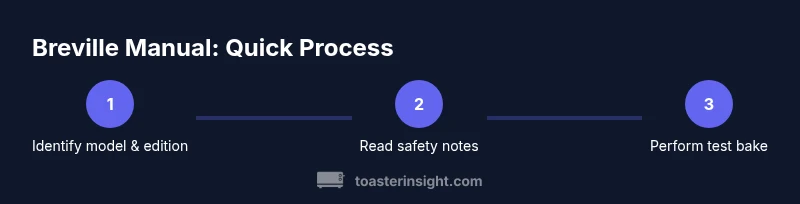
Breville produces several models with overlapping features, so identifying the exact model and revision number is critical. Locate the label on the back or interior of the door frame to confirm the model. Then match the edition of the Breville toaster oven user manual to that model. If you’re missing the manual, check Breville’s official website or your retailer’s support page for the correct PDF or printed booklet. Keeping the right version ensures you follow current guidelines for temperature ranges, rack positions, and safety notices that apply specifically to your unit.
Unboxing, Placement, and Power Connections
When you unbox, inspect all parts for damage and verify you have the correct accessories for your model. Place the toaster oven on a heat-safe, stable surface with at least 4 inches of clearance on all sides to maintain airflow and prevent heat buildup. Avoid placing it under cabinets or near curtains. Plug the unit into a grounded outlet, and do not use an extension cord unless the manual explicitly allows it. If the cord is too short, consider repositioning the unit so it reaches a proper outlet without stretching or pinching the cord.
Understanding the Control Panel and Presets
Breville models vary, but most share common control patterns: a timer knob, temperature knob, and a set of preset functions such as toast, bake, broil, and roast. The manual explains each button’s function, including recommended rack positions and pan sizes for different presets. Take your time to study the display, indicators, and audible cues. Practicing with a test bake helps you correlate settings with outcomes, reducing trial-and-error and saving energy and time on future meals.
Preheating and Cooking Guidelines
Preheating times depend on the chosen function and temperature. The manual often recommends preheating for a few minutes when baking items like pastries or frozen foods to ensure even heat distribution. For toasting, preheating is usually unnecessary, but some models perform better with a brief warm-up. Always follow the suggested temperature ranges in the manual for a given item, checking for smoke, unusual smells, or uneven browning, which can indicate a calibration issue or a need for cleaning.
Using Racks, Trays, and Bakeware Correctly
Place bakeware on the correct rack position as indicated by the manual for your chosen function. Heavy bakeware or thick pans may require different clearance than light-weight sheets. Ensure trays are clean and dry before loading food, and avoid overcrowding which inhibits air circulation. The manual notes safe handling practices, especially when removing hot items. If you’re unsure about material compatibility, consult the manual’s sections on rack positions and bakeware compatibility before cooking.
Cleaning, Care, and Crumb Management
Regular cleaning is essential for performance and safety. Let the oven cool completely before cleaning. Wipe the exterior with a damp cloth and mild detergent, avoiding abrasive cleaners that could scratch surfaces. Remove the crumb tray and wash it with warm, soapy water, ensuring it is completely dry before reassembling. The interior should be vacuumed or wiped with a soft brush to remove crumbs without dislodging heating elements. The Breville toaster oven user manual often provides specific guidance on how to clean glass doors and removable panels while preserving anti-scratch coatings.
Troubleshooting Common Issues and When to Seek Help
If you notice uneven cooking, temperature drift, or the unit fails to heat, consult the manual’s troubleshooting section first. Common fixes include cleaning the crumb tray, verifying power supply stability, and recalibrating the oven using the documented procedure. If the display shows an error code or if the unit emits unusual noises or smells, discontinue use and contact Breville support. Record model number, serial, and a brief description of the issue to speed up service.
Longevity Tips: Energy Efficiency, Storage, and Documentation
To extend the life of your Breville toaster oven and maximize energy efficiency, keep it clean, avoid heavy loading that strains components, and use appropriate cookware. When not in use, store the appliance in a cool, dry area away from direct sunlight. Maintain a current copy of the Breville toaster oven user manual and save updates from Breville’s site. Keeping the manual up-to-date helps you apply new safety guidelines or feature adjustments as they’re released.
Tools & Materials
- Breville toaster oven(Model-specific features may vary; verify model on unit)
- Official Breville toaster oven user manual (digital or printed)(Ensure edition matches your model)
- Soft cloth(For exterior surfaces and glass doors)
- Non-abrasive sponge(Use on interior surfaces and racks; avoid scratching glass)
- Mild dish soap(For routine cleaning; avoid harsh chemicals)
Steps
Estimated time: 30-60 minutes
- 1
Identify model and edition
Locate the model number on the unit’s label and verify it against the Breville manual edition you’re using. This ensures you follow model-specific instructions and calibration notes unique to your oven.
Tip: Photo the model tag for quick future reference - 2
Place on a stable surface
Set the oven on a heat-safe, level surface with ample clearance. Check that it won’t be obstructed by cabinets or fabrics to allow proper ventilation and avoid overheating.
Tip: Keep the power cord out of walkways to prevent snagging - 3
Connect power and inspect display
Plug into a grounded outlet and turn the unit on. Familiarize yourself with the control panel, presets, and display indicators so you can navigate settings confidently.
Tip: If the display is dim or unresponsive, consult the manual’s troubleshooting section - 4
Understand presets and racks
Review which rack positions and cookware work with each preset. Use the recommended pan sizes and avoid oversized trays that block air flow.
Tip: Keep a quick reference chart from the manual near the oven - 5
Preheat as required
Preheat only when the manual recommends it for specific recipes. This step helps ensure even browning and accurate bake times.
Tip: Check for warm air evacuation from vents before loading food - 6
Load, time, and temperature
Place food on the appropriate rack, set the temperature and timer per the recipe or manual guidelines, and monitor through the window to prevent overcooking.
Tip: Avoid opening the door frequently to maintain oven temperature - 7
Care during use and safety
Wear heat-resistant gloves when handling hot racks and trays. Keep hands and sleeves clear of the heating elements and ensure children aren’t near the hot oven during operation.
Tip: Never attempt to move the oven while it’s hot - 8
Cool down and cleaning
Allow the oven to cool completely before cleaning. Remove the crumb tray, wash with mild soap, and dry thoroughly before reassembly.
Tip: Inspect seals and gaskets for wear during cleaning - 9
Update and store the manual
Keep the manual accessible and check for updates on Breville’s site. Replace missing pages with an official PDF to ensure you have the latest safety notes.
Tip: Create a digital backup in your cloud storage
Your Questions Answered
Does a Breville toaster oven require preheating for all foods?
No. The Breville manual indicates preheating is recipe- or function-dependent. Some items bake better with preheating, while others benefit from a quick start with the door closed. Always refer to the recipe guidelines and the manual.
Preheating isn’t required for every dish; follow the recipe and the manual for best results.
Where can I find the correct Breville toaster oven manual?
Begin with the model number on the unit, then look for the official Breville manual on Breville’s website or your retailer’s support page. If you still can’t locate it, contact Breville customer support.
Check Breville’s site or your retailer’s support page for the exact manual for your model.
Are there model-specific differences I should know?
Yes. Different Breville models have distinct presets, rack positions, and temperature ranges. Always confirm you’re using the manual edition matched to your model to avoid missteps.
Different models have unique features; verify you’re using the right manual edition.
How do I reset or recalibrate the oven?
The Breville manual may include a reset or calibration procedure for temperature accuracy. If you see irregular heating, follow the official steps, and contact support if issues persist.
Check the manual for any reset steps, and if problems continue, contact Breville support.
What’s the best way to clean the crumb tray?
Remove and empty the crumb tray when cool, wash with warm soapy water, rinse, and dry before reinstalling. Regular cleaning helps prevent smoke and keeps performance consistent.
Take out the crumb tray, wash it, and dry it completely before reinserting.
Is it safe to use metal utensils or abrasive cleaners?
The manual generally recommends using non-metal alternatives on sensitive surfaces and avoiding abrasive cleaners that can scratch coatings. Always check your model’s guidance before using utensils beyond manufacturer recommendations.
Avoid harsh cleaners and metal utensils on delicate surfaces unless the manual allows it.
Watch Video
Key Takeaways
- Follow the correct model manual for safe operation.
- Preheat only when specified to ensure even cooking.
- Clean regularly to maintain performance and longevity.
- Store the manual with the appliance for easy access.